Step One
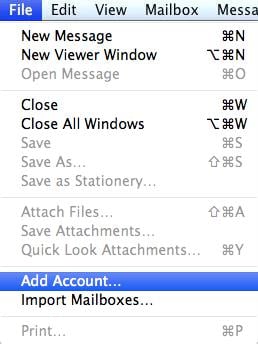
Launch Apple Mail. From the toolbar at the top, select File and then Add Account.
Step Two
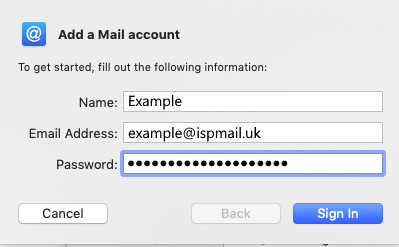
Enter your name, email address, and password. Then click Continue.
Step Three
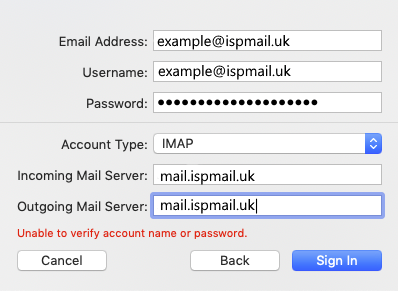
Complete the information as shown below.
- Account type should be set to IMAP.
- Description – a name for this account.
- Incoming Mail Server is mail.ispmail.uk
- User Name is your full email address.
- Password is your mailbox password.
Apple Mail will now test the connection to the mail server. Once this is complete, click Continue.
Step Four
Enter the Outgoing Mail Server (mail.ispmail.uk) and ensure that Use Authentication checkbox is ticked.
Enter your username and password if these fields are not automatically populated, then click Continue.